Web Scraping using Python BeautifulSoup

Python lover, Tech Sis, Technical writing
Have you ever been in a situation where you want to watch a movie but not sure which to watch?
If yes, Well I have a solution for you, by letting you chose a movie from the Top 100 greatest movies of all time.
How?
Through web scraping
Web scraping refers to the extraction of data from a website. It can be done by looking through the underlying HTML code of a website to get the information you want. We will learn how to scrape websites using BeautifulSoup; A Python library for parsing structured data. It allows us to interact with HTML similarly to how we interact with a web page using developer tools.
At the end of this mini tutorial, we will create a document containing the top 100 movies of all time using web scraping instead of typing it manually.
Inspect the website
First of all, we need to know how the data in the HTML code is structured and we can know this by looking at the developer tools. Developer tools can help you understand the structure of a website. All modern browsers come with developer tools installed.
In chrome for windows, right-click on the website and click 'inspect'.
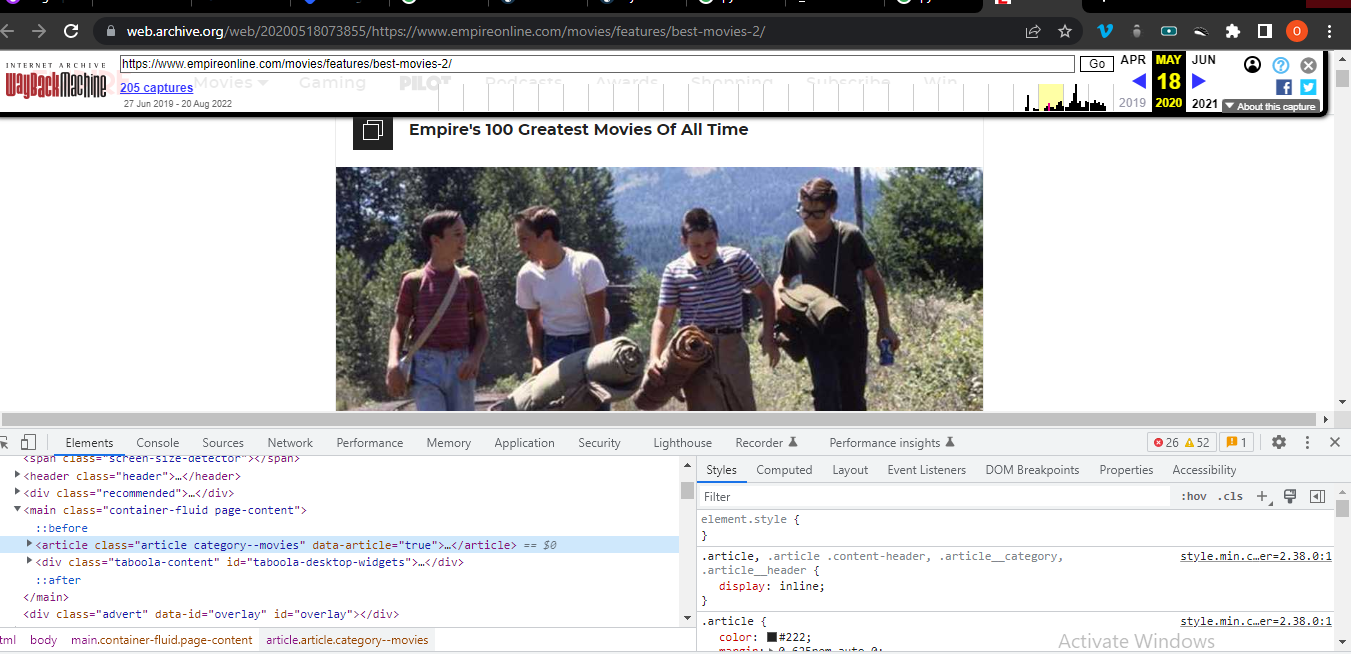
In Chrome on macOS, you can open up the developer tools through the menu by selecting View → Developer → Developer Tools.
Download Pycharm or Use the Code editor you have
So I am using PyCharm, You can download it here here and click on the community free version or you can use VSCODE or Atom by creating a file and naming it any name you like but ending it with ".py"
Getting the HTML content of the page
First of all, we will want to get the site’s HTML code into our python script so that we can interact with it. For this task, we'll use Python’s requests library
import requests

movies_site = "https://web.archive.org/web/20200518073855/https://www.empireonline.com/movies/features/best-movies-2/"

response = requests.get(movies_site)
movies_webpage = response.text
If we print the .text attribute (movies_webpage) of the page,you'll notice that we have successfully fetched the static site content from the Internet. we now have access to the site’s HTML from within our Python script.
Parse HTML code with BeautifulSoup
Let's make soup! No, not broth or egusi soup, we will Import the library and make a BeautifulSoup object.
import requests
from bs4 import BeautifulSoup

movies_site = "https://web.archive.org/web/20200518073855/https://www.empireonline.com/movies/features/best-movies-2/"

response = requests.get(movies_site)
movies_webpage = response.text

soup = BeautifulSoup(movies_webpage, "html.parser")
Now we have created a Beautiful Soup object that takes movies_webpage which is the HTML content we scraped earlier, as its input. The second argument, "html.parser", makes sure that we tell the module the type of content we got.
Find the movie titles
In an HTML web page, every element can have a tag assigned, for example, 'h1' is a tag, 'span' is also a tag, and so on. You can begin to parse your page by selecting a specific element by its tag name.
Switch back to developer tools and identify the HTML object that contains all the movie titles. Explore by hovering over parts of the page and using right-click to Inspect.
# using find
movie_titles = soup.find_all(name="h3", class_="title")
By using .find_all we are telling our soup to find all that relates to the further arguments. The second argument narrows it down further by saying we want all the h3 tags with a class of 'title'. This would bring up all the movie titles in a list.
Let us take a look.
for one_movie in movie_titles:
    movie_text = one_movie.getText()
    print(movie_text)
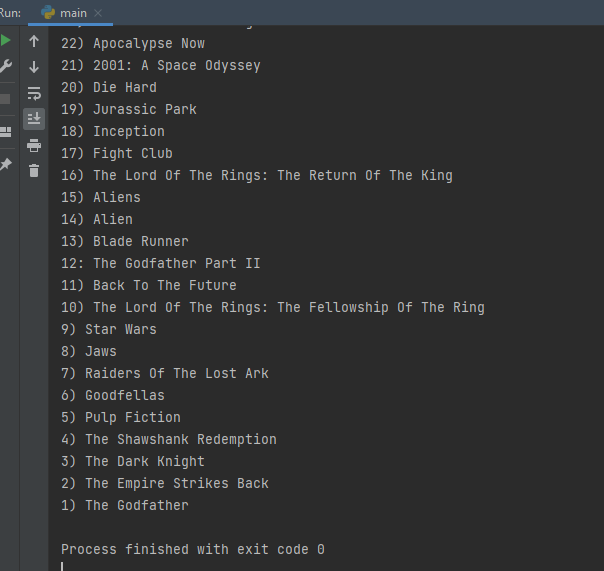
But as we can see, it counted from 100 like in the website. If you also have a keen eye, you will notice that No 12 is written as '12:'. That can be a problem when we need to create our document.
for one_movie in movie_titles:
    movie_text = one_movie.getText()
    # print(type(movie_text))
    print(movie_text)

    try:
        number = movie_text.split(")")[0]
        movie_name = movie_text.split(")")[1]
    except IndexError:
        movie_name = movie_text.split(":")[1]
        number = movie_text.split(":")[0]
Let us break it down.
I want to split the title name from the number so that i can number it properly in the document i will later create.
   splitted_title = movie_text.split(")")
   print(splitted_title)
It would show these, notice number 12, it couldn't be split into two because there was no ) to split it. It is universal in programming that counting starts from index 0 and not 1.
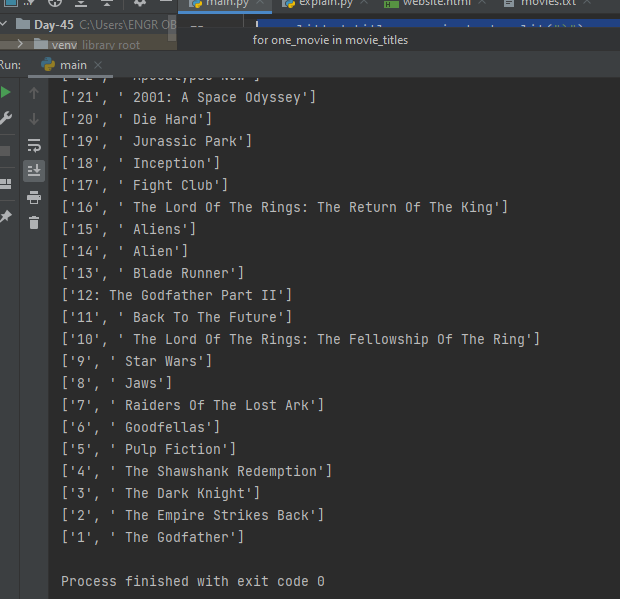
To solve the particular one for number 12, one might do this
   split_no_12= movie_text.split(":")
   print(split_no_12)
But we will get an error because that's not the beginning that the code will run from. I hope you have not been confused. The best option will be to use error handlers: 'Try Except Else Finally'
for one_movie in movie_titles:
    movie_text = one_movie.getText()
    # print(type(movie_text))
    print(movie_text)

    try:
        number = movie_text.split(")")[0]
        movie_name = movie_text.split(")")[1]
    except IndexError:
        movie_name = movie_text.split(":")[1]
        number = movie_text.split(":")[0]
We are saying 'Okay we are tryna split these titles to get the number and name separately but there is an issue as not all the numbers were numbered the same way'.
The code says for each movie title, split the string by ')' and when we run into an index error (because not all has ')'), handle that error by splitting the text instead by ':'
Save the first string in the list as number and the second as the movie name.
movies = []
for one_movie in movie_titles:
    movie_text = one_movie.getText()
    # print(type(movie_text))
    # print(movie_text)

    try:
        number = movie_text.split(")")[0]
        movie_name = movie_text.split(")")[1]
        # print(movie_no)
    except IndexError:
        movie_name = movie_text.split(":")[1]
        number = movie_text.split(":")[0]

    number = int(number)
    movies.append(f"{number}) {movie_name}")
Create a new list. Change the number type to int and append the movie name and number to the list
Lets reverse the list.
movies = movies[::-1]
Alternatively, you can do this
for n in range(start=len(movie)-1, -1, -1):
      print(movie[n])
Create the document/text file
with open("movies.txt", mode="w") as file:
    for movie in movies:
         file.write(f"{movie}\n")
There you have it!. Thank you for making this soup with me If you have any questions whatsoever, i am ready to explain and help whichever way i can.


